SHIELD CHEAT

Share about trick, cheat and bypass on iOS, Android, and PC game, you can download game bypass or anything about game.

720X90
970X90
Showing posts with label Non-CLEO Mods. Show all posts

New Skate Park v1


Are you bored of stunting in old Ganton Park? Try this mod. It will add a lot of new ramps in that park. The maker of this mod is "Dangy". The mod is awesome and you should try it once. The good thing about this mod is that you don't need CLEO or Root Access in your phone. To download more non cleo mods please click HERE.
Wanna install this mod?
Follow these simple steps:

Note:
• To uninstall simply delete the moved files.

Step I:
• Download MOD:
  Download MOD

Step II:
• Extract the downloaded mod (zip file).
• Move the "LA" Folder to:
  /Android/data/com.rockstargames.gtasa/files/data/maps/          <here>    {Create new "data" and "maps" folder if doesn't exist

Step III:
• Run the Game and enjoy the mod.


Niko Bellic Skin With Animations

niko bellic skin mod for gta san andreas android gtaam
This sword is not part of this mod!
And here comes Niko Bellic Skin from GTA IV for GTA San Andreas Android. The maker of this mod is "homersimpsons". Skin looks great. Default Niko Bellic clothes are also packed in this mod. To change clothes like Niko Bellic, you have to buy some specific clothes which are mentioned below.
Wanna install this mod?
Follow these simple steps:

Note:
• After moving file and folder launch the game.
 ♦ Go to "Barber Shop" in "Playa Del Seville, Los Santos" and buy Elvis Hair
 ♦ Go to "Binco Shop" in "Ganton, Los Santos" and buy "Combat Jacket"
 ♦ Go to "Zip Shop" in Mulholland Intersection, Los Santos" and buy "Brown Boots"
 ♦ Go to "Pro Laps" in "Rodeo, Los Santos" and buy "Black Track Pants"
• To uninstall simply delete the moved files.

Step I:
• Download MOD:
  Download MOD

Step II:
• Extract the downloaded mod (zip file).
• Move the "player" folder and "player.img" file to:
  /Android/data/com.rockstargames.gtasa/files/texdb/          <here>
   **CREATE A NEW TEXDB FOLDER IF DOESN'T EXIST

Step III:
• Run the Game and enjoy the mod.


Michael Skin for GTA SA Android Final

michael gta v skin for gta san adnreas android mod download full hd from gtaam blogspot com step by step guide how to install mod

 And here comes one of the best HD skin mod for GTA San Andreas Android. The maker of this mod is "faisalluminati & M.T.H". The skin is much better then CJ. This mod also include some new clothes like michael shirt and headphones. It is one of the most HD skin available for GTA San Andreas Android.
Wanna install this mod?
Follow these simple instructions:

Note:
• To uninstall simply delete the moved files.

Step I:
• Download MOD:
  Download MOD

Step II:
• Extract the downloaded mod (zip file).
• Move the " player" folder and "player.img" to:
  /Android/data/com.rockstargames.gtasa/files/texdb/           <here>
• Make new texdb folder if doesn't exist.

Step III:
• Run the Game and enjoy the mod.

Headshot!

But first, Lemme take a selfie!!
Ignore that white angel. It is not part of this mod.


New & Improved Crosshairs v1.0


Do you hate default sniper crosshair?
Try these new crosshairs. Default crosshair is very bad. If you want to shoot any target at a long distance then the crosshair dot will cover the target completely. You will not be able to see where your bullet is going to hit.
So I made this mod to fix this issue. Maker of this mod is "TaqiChauhan" (me). If you have any good idea for crosshairs then please let me know by comments or email. Thanks. There are two cross hairs. One is tiny and one is big.
• Tiny crosshair has only one dot (very accurate when shooting)
• Big crosshair has a dot but inside another crosshair (see pics).
Wanna install this mod?
Follow these simple steps:

Note:
• PC is required to run this mod.
• Import any one crosshair to gta3.txt. Which you like.
• To uninstall simply delete the moved files.

Step I:
• Download MOD:
  Download MOD

Step II:
• Extract the downloaded mod (zip file).
• Extract the two obb files in any folder with winrar.
• Open TXD Fucker.
• Go to open and open "gta3.txt" file. This file is located here:
  /location where you extracted both .obb files/texdb/gta3/gta3.txt      <This file, here>
• Click Import (with Alpha) and choose "snipercrosshair.png". There are two "snipercrosshair.png" files. Choose the one which you like. DO NOT IMPORT BOTH CROSSHAIRS.
• If it says this file already exists then choose Yes Replace option.
• After importing close txd fucker.
• Move the "GTA3" folder from:
  /location where you extracted both .obb files/texdb/gta3          <This folder
   To:
  /Android/data/com.rockstargames.gtasa/files/texdb/     <here>


Step III:
• Run the Game and enjoy the mod.


Big Crosshair

Big Crosshair Screenshot 2


Tiny Crosshair (very accurate)

Much simple and accurate then default crosshair

This screenshot explains why it is more accurate then other crosshairs


Akinna Hills | New Map Mod

This map is good for drifting
And here comes a new map mod for GTA San Andreas Android. This mod will add a new map (area) in GTA San Andreas near Santa Maria Beach (see below for exact location). The maker of this mod is "Adan_69 & dewalk28 ( for pc )". The mod is ported from PC and according to author it is map of one of the most famous mountain in Japan. The map is great and you should try this.
Wanna install this mod?
Follow these simple steps:

Note:
• PC is required to install this mod.
• Go to Santa Maria Beach to see this map. (see screenshot at last of this post for exact location).
• To uninstall simply delete the moved files.

Step I:
• Download MOD:
  Download MOD

• Download IMG Tool:
  Download img Tool

• Download TXDFucker:
  Download TXDfucker

• Download WinRar:
  Download WinRar

Step II:
• Extract the downloaded mod (zip file).
• Move the file "gta.dat" from "add to data" to:
  /Android/data/com.rockstargames.gtasa/files/data/     <here>         Make a new data folder if doesn't exist
•  Move all files from "add to maps folder" to:
  /Android/data/com.rockstargames.gtasa/files/data/maps     <here>         Make a new data & maps folder if doesn't exist
• Now you need PC to do next steps.
• First of all extract the two ".obb" files of GTA San Andreas Android. These two ".obb" files are located in:
  /Android/obb/com.rockstargames.gtasa/       <HERE>
• Copy those two ".obb" files to your computer harddisk and then use WinRar to extract them.  CLICK HERE FOR HELP
• After extracting the both :.obb" files in one single folder. Open IMG Tool and open "gta3.img" file.
  ♦ This file is located in:
  /Place where you extracted .obb files/texdb/              <here>
• Go to Commands>>Add and select all files inside "add to gta3.img" folder.
• After adding files again go to Commands>>Rebuild Archieve. After rebuilding is done close the img tool and move the "gta3.img" file to:
  /Android/data/com.rockstargames.gtasa/files/texdb/          <here>
• Now we have to use txd fucker.
• Open TXD Fucker.
• And then go to File>>Open and select txd.txt file. This file is present in:
    /Android/data/com.rockstargames.gtasa/files/texdb/txd/TXD.TXT
• After opening go to Import>>With Alpha and select all file present inside "add to txd.txt" folder.
• When files are added successfully, close the TXD Fucker and move the "txd" folder to:
    /Android/data/com.rockstargames.gtasa/files/texdb/          <here>
• All done!

Step III:
• Run the Game and enjoy the mod.


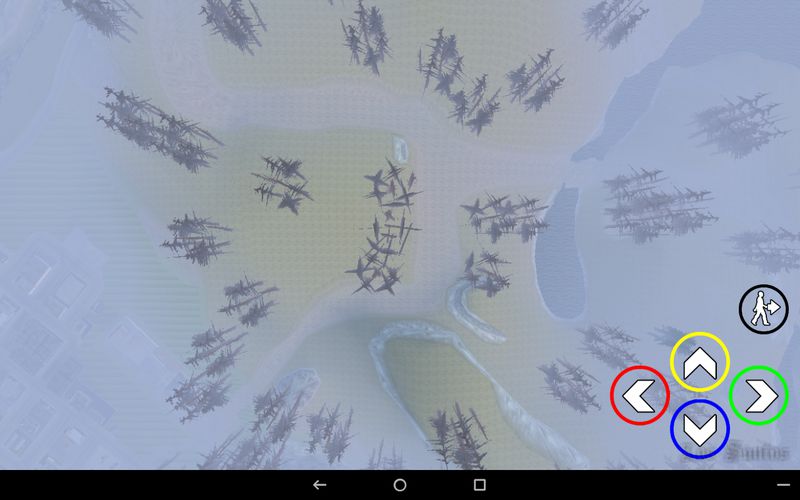
Location of this map

KIA Sportage R [Car]

kia sportage r car mod for gta san andreas android

And here comes another great car for GTA San Andreas Android. The maker of this mod are "Miki_mays","hhg0322" and "zipper745". This car will replace the Rancher. It is a lot better then default rancher.
Wanna install this mod?
Follow these simple steps:

Note:
• Use any car spawner to spawn car without finding it. CLICK HERE!
• You need PC to install this mod.
• To uninstall simply delete the moved files.

Step I:
• Download MOD:
  Download MOD

• Download IMG Tool:
  Download IMG Tool

• Download WinRar:
  Download WinRar

Step II:
• Extract the downloaded mod (zip file).
• Now copy the SD DATA of your GTA San Andreas Android in PC.
• After copying use "WinRar" to open the ".obb" files of GTA San Andreas DATA.
• Extract both OBB files using winrar. MAKE SURE YOU EXTRACT THEM IN A SINGLE FOLDER.
• Now open IMG Tool.
• Go to File>>Open and select "GTA3.img" file (it is located where you extracted the obb file, in texdb folder)
• Go to Edit>>Find and search "rancher.dff" using img tool.
• After finding it, click it and right click on it.
• Click "Replace" and choose the "Rancher.dff" file which you downloaded in step I.
• After replacing it go to "Commands>>Rebuild Archieve". It will take some time to rebuild so wait.
• When Rebuilding is done, close the img tool and copy the "GTA3.img" file from "texdb" folder.
• And paste it to:
   /Android/data/com.rockstargames.gtasa/files/texdb/       <here>  
     *MAKE A NEW TEXDB FOLDER IF DOESN'T EXIST

Step III:
• Run the Game and enjoy the mod.


Project Timecycle [HD] Graphics v1.0 (b)

enb series gta san andreas android from gtaam blogspot com project timecycle mod

Here is another new awesome timecyc mod for GTA San Andreas Android. It will make graphics of GTA San Andreas Android much better then default (see screenshots). The maker of this awesome mod is "Guard.Demon". After installing you can enjoy GTA San Andreas in more high quality.
Wanna install this mod?
Follow these simple steps:

Note:
• If sky is red then it is a bug. The modder is working in this bug to fix this.
• To uninstall simply delete the moved files.

Step I:
• Download MOD:
  Download MOD

Step II:
• Extract the downloaded mod (zip file).
• Move the "timecyc.dat" file to:
   /Android/data/com.rockstargames.gtasa/data/          <here>

*Make a new "data" folder if doesn't present

Step III:
• Run the Game and enjoy the mod.


New Timecyc/Increased Draw Distance

increased draw distance mod gta san andreas android GTAAM

Ever wanted to increase some more draw distance? this mod will let you do this. It also has new timecyc. The maker of this mod is "Los Santos guy". Also watch THIS video in which he has maxed the draw distance in GTA San Andreas PC. The mod is really cool. You should try this if you have a heavy specs device.
Wanna install this mod?
Follow these simple steps:

Note:
• Make sure you have a heavy device.
• It may make the game laggy.
• To uninstall simply delete the moved files.

Step I:
• Download MOD:
  Download MOD

Step II:
• Extract the downloaded mod (zip file).
• Move the "timecyc.dat" file to:
  /Android/com.rockstargames.gtasa/files/data/                  <here>    {make new "data" folder if there is not

Step III:
• Run the Game and enjoy the mod.


Back To Top